
Honest ERP • Learning Management

Learning management software for the whole campus

Publish the lesson once. Students open it, hand in the work, and sit the test on the same course. Teachers and the office read progress from the student record they already use for attendance and fees.

  • Same student as the school ERP
  • Lessons, work, and scores together
  • Schools, colleges, and coaching

Get fully automated learning management software for schools

Publishing the lesson, collecting the submission, and scoring an objective test used to sit with a clerk. The teacher sets the course. Those steps then follow every student on it.

Lesson, submission, and score flowing through the school LMS
01

Build the course by class and subject

Order the lessons so the class follows one path. Notes, slides, video, and files stay on that course instead of in a shared drive.

02

Assign the work with a due date

Students submit online. The teacher sees who has handed the work in and who has not, without collecting notebooks.

03

Score the objective test on the platform

A quiz or chapter test does not wait for a paper count. Written answers stay with the teacher to review.

04

Keep the mark on the student file

Attendance and report cards already live in the ERP. A chapter-test mark can sit with that academic file instead of being typed again.

What the learning desk actually covers

The pieces a school, college, or coaching class needs between the lesson plan and the progress note.

Courses

Courses and learning paths

A subject becomes a course with lessons in order. Students are not hunting through a loose set of files.

  • Lessons ordered for the class or the programme
  • Notes, slides, video, and files on the same step
  • An update replaces the old file for every student
Access

Open the lesson after class

A student who misses the period can still open the material from a browser or the school app and hand the work in.

  • Browser on a computer, tablet, or phone
  • The school app for the same course
  • The due date stays visible with the lesson
Classwork

Submissions with a due date

Assign the work once. The course shows who submitted and who is still outstanding.

  • One list of submitted and pending work
  • Written answers left for the teacher to review
  • No separate notebook collection at the desk
Tests

Quizzes and chapter tests

Objective questions can be scored on the platform. The result can sit with the academic file.

  • Quiz and chapter test on the course
  • Objective scores without an answer-sheet count
  • The mark stays with the same student
Progress

Learning gaps while the term is open

Completion and scores show where a class or a student is behind, without waiting for a file at the end of term.

  • What was assigned, submitted, and scored
  • A view for the teacher and for management
  • The same numbers the office already trusts
Doubts

Questions beside the lesson

A doubt stays on the course. It does not disappear into a personal chat the next teacher cannot see.

  • Questions on the lesson they belong to
  • Role-based access to the course
  • Colleges and coaching batches on the same desk
Schools, colleges, coaching

One course desk for the people who teach and the people who study

A recorded lesson and a live class can sit on the same course. Another batch is another course, not a new set of drives and chat groups.

01

Teachers publish and mark

Set the path, replace a lesson when it changes, and see the submission list and the scores without collecting registers from each section.

02

Students continue after a missed class

Open the material, hand in the work, and see the result. The due date is on the course, not in a message that scrolls away.

03

Management reads the batch

Completion and scores are already stored. A review of how a class or a coaching batch is doing does not start with a request for notebooks.

Teachers reviewing lesson completion and scores

Why campuses leave the shared folder

The LMS is the course. The student is the same person already on the attendance and fee record.

1 course Lesson, submission, and score in one place
Same file The mark can sit with the academic record
After class A missed period still has the lesson
Any batch School, college, or coaching on one desk

Folders, printouts, and chat groups

  • The latest lesson is whichever file someone uploaded last
  • Submissions arrive as photos in a chat the next teacher cannot search
  • Objective tests wait for an answer-sheet count
  • Progress is rebuilt at the end of term from notebooks
  • A new batch means a new drive and a new group
Honest LMS

A course on the school record

  • An update replaces the lesson for every student on the course
  • Work is submitted against a due date, with a pending list
  • Objective questions can be scored on the platform
  • Completion and scores are readable while the term is open
  • The student is the same record used for attendance and fees
College and coaching courses arranged as learning paths

Why a coaching class moves the classroom online

Coaching is a second academic home. The course, the test, and the progress note can stay available when the student is not at the centre, and the centre can still see the work.

01

Grades and batches on one desk

Courses, exams, and the curriculum for different grades are set together. A new batch is another course.

02

Hybrid without a second system

A recorded lesson and a live class can sit on the same course, with the assignment and the test beside them.

A coaching class running courses and tests online

The campus suite

Discover our specialized features

School ERP, learning, attendance, the library, and the mobile app. Each module opens on its own page.

Proven at scale

Numbers That Speak For Honest School ERP

25+

Years Legacy

2,000+

Satisfied Clients

96%

Client Retention

40+

Modules

25,000+

Professionals Trained

15,00,000+

Students Managed

Why schools choose it

Benefit of the learning management system

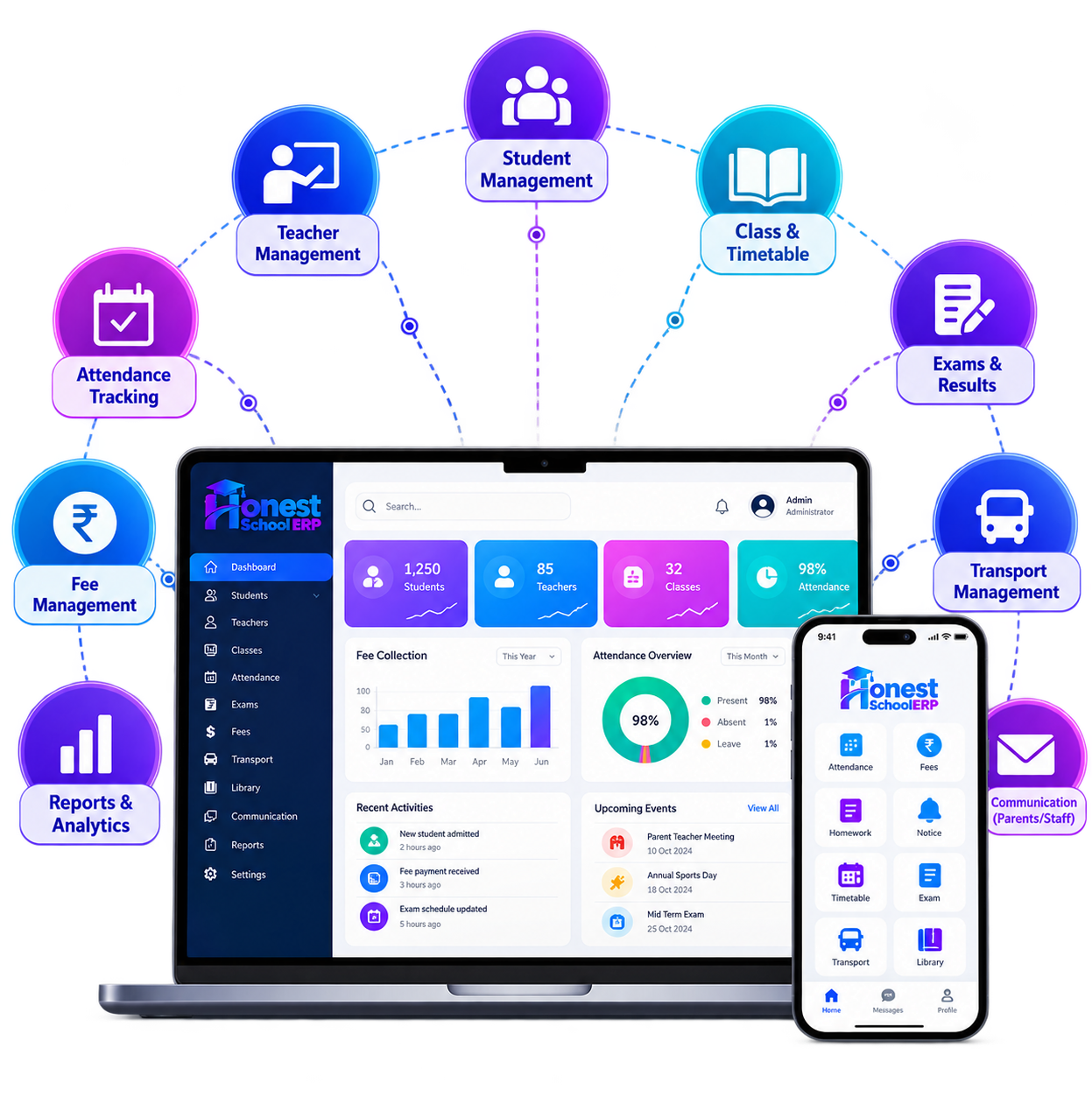
Honest School ERP on laptop and mobile
  • Lessons, submissions, and scores live on one course instead of in separate folders.

  • Students who miss a class can still open the material and hand in the work.

  • Objective tests do not wait for a manual answer-sheet count.

  • Learning gaps show up from completion and scores, not from a term-end file.

  • The same student record feeds attendance, fees, and the academic file.

  • Schools, colleges, and coaching batches can add a course without a new system.

Questions

What schools, colleges, and coaching classes ask before they move lessons onto the LMS.

01 Who needs a learning management system?

Any school, college, or coaching class that still shares lessons by printout or chat, and wants classwork, tests, and progress in one place.

02 Which devices can open it?

Students and teachers use a current browser on a computer, tablet, or phone. The school app is the other way in, for the same course and the same submissions.

03 What is a learning management system?

It is the place a campus publishes lessons, collects work, runs tests, and reads progress. In Honest School ERP it sits with the student record, not as a separate list of children.

04 How does it change the class?

The lesson goes out once, every student on the course sees the update, submissions arrive with a due date, and objective scores do not wait on a paper count. Teachers spend the saved time on the students who are behind.

05 Is this a cloud LMS?

Yes. The campus opens it in the browser without keeping a classroom server in the office. Access follows the role, so a student does not see another student's submission.

06 Can live and recorded classes share a course?

A recorded lesson and a live class can sit on the same course, with the assignment and the test beside them. That is the usual pattern for a hybrid school day or a coaching batch. Live teaching itself is the online classroom.

See the LMS on your own courses

A short walkthrough of lessons, submissions, and progress against how your campus already teaches.

✓A course built the way your classes are already organised
✓How a submission and a test mark reach the student file
✓No obligation after the conversation

01 Book a demo

Request an LMS walkthrough

Tell us the campus and how lessons are shared today.

We only use this to arrange the LMS conversation.